
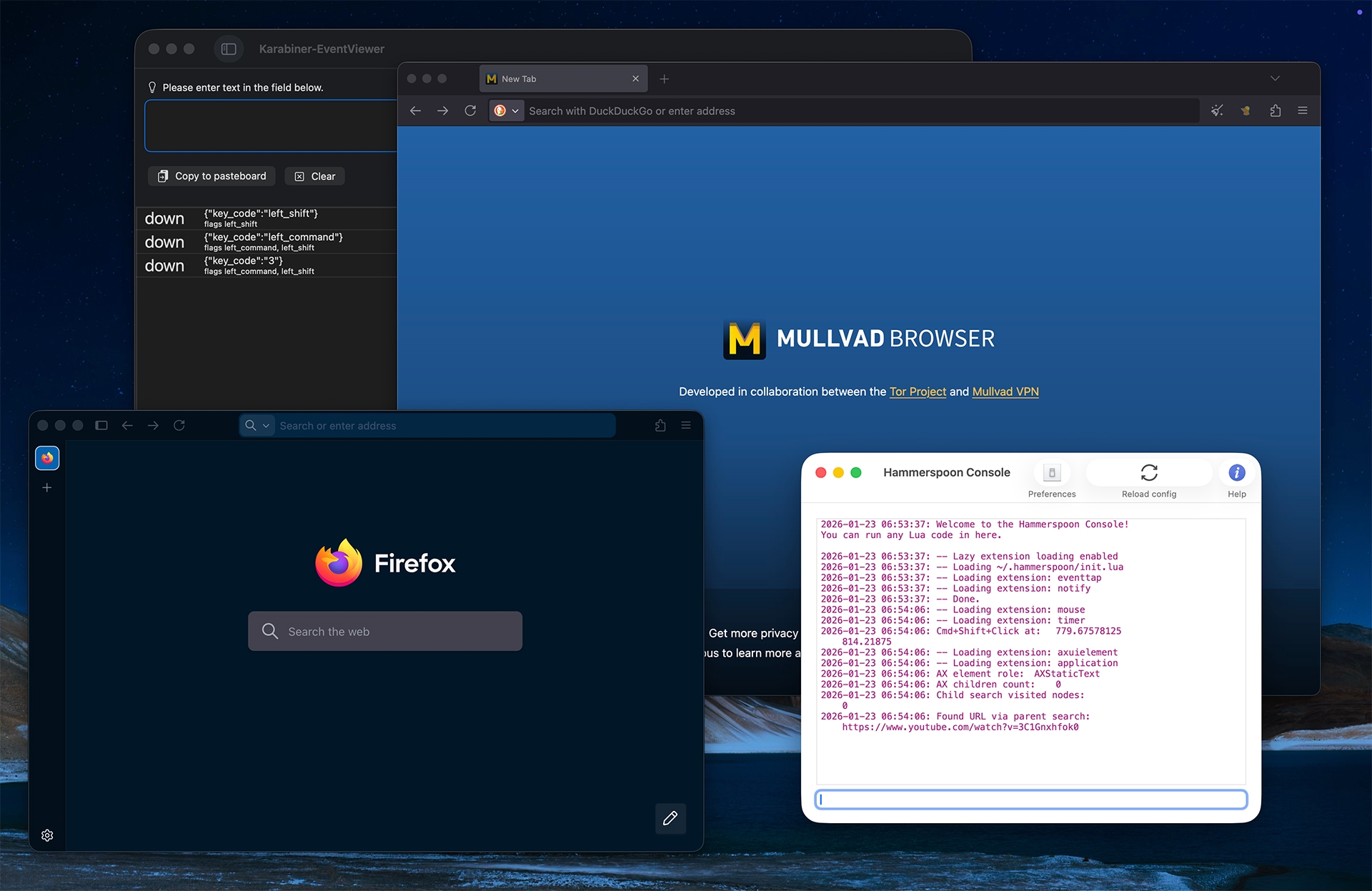
Mullvad Browser is one of 2 daily drivers. I spin up and down others, but I consistently bounce between Mullvad and Firefox where I’m always running multiple profiles. Wait. Wat?! Why would I make my life so annoying and tedious, you ask?
They’re all out to getcha. This is not a secret.
Explore browser fingerprinting for maximum rage inducement.
I prefer to keep aspects of my online life segmented, a separation of concerns. Some things are similar enough that I don’t mind the related sites understanding who I am and what I’m doing there. Dev work and all of it’s associated activity sits in one profile. Newspapers, magazines, library websites and such live in another. Each profile’s cookies, browser histories, fingerprint, etc. remain unknown to the others. For more discretion (within reason) I’ll hit sites via Mullvad where I’m regularly creating new identities, escalating to Tor on occasion … sensitive topics like health.
Juggling all of these browsers def ain’t easy. What if I’m on a page in Firefox but want to open the link in Mullvad? Well, you say, you copy the link, paste it into Mullvad and don’t look back. But if it’s something you rinse and repeat all day it becomes hellish. There is a better way. Didn’t find any existing solution, so I just rolled my own.
WTF is this noise?
OK. I’ve got the dueling browsers (minimum). And they don’t talk to each other. By installing Hammerspoon and writing a Lua script I’m able to do a Cmd+Shift+Click combo, and with that open the clicked Firefox link in Mullvad. Nice.
The video may be tough to follow, but at about 30s I clear the event viewer, you see that Cmd+Shift are pressed, then a click, then waves hands, link opens in Mullvad Browser.
A floaty banger, that one.
I’d rather not do this with an extension or use other simpler methods as doing so translates to a more unique fingerprint. So then comes the wrastlin: Grab the code. Use the code.
Here’s a high‑level overview of my script, ~/.hammerspoon/init.lua:
- Sets up a Cmd+Shift+Click hook using
hs.eventtapto intercept left mouse down events. - Targets Firefox only, checking the frontmost app bundle ID against common Firefox builds.
- Uses macOS Accessibility (AX) to locate the UI element under the cursor and extract a link URL.
- Normalizes AXURL values, handling both string and table formats (like
absoluteString). - Searches multiple AX paths for links:
- Direct
AXURL/AXValueon the element AXLinkUIElements/AXLinkedUIElements- Child tree traversal (bounded depth + node cap)
- Parent chain traversal
- Focused element fallback
- Direct
- Opens the URL in the system default browser if found.
OK, but why Mullvad Browser?
Self-care. Get some.